
The prospecting app built inside Salesforce
Stop switching tabs.
Prospect inside Salesforce.
Find the right people on LinkedIn Sales Navigator, get emails and phone numbers, and reach out by LinkedIn, email and phone. All from one grid.
- Native Salesforce appInstalled in your own org
- Listed on AgentExchangeWith a 10-day free trial
- Your records stay in your orgNo second platform to sync
- Public pricingUSD 75 per user per month
What this way of working achieved
Less admin work. More selling time.
2–5×
higher pipeline generation
15–25%
response rate per prospect contact
Based on internal testing with more than 1,000 real prospect contacts, using the way of working that Prospect Grid is built on. Not a promise or a benchmark of the results you will achieve. See section 12.2 of our Terms.
Why Prospect Grid?
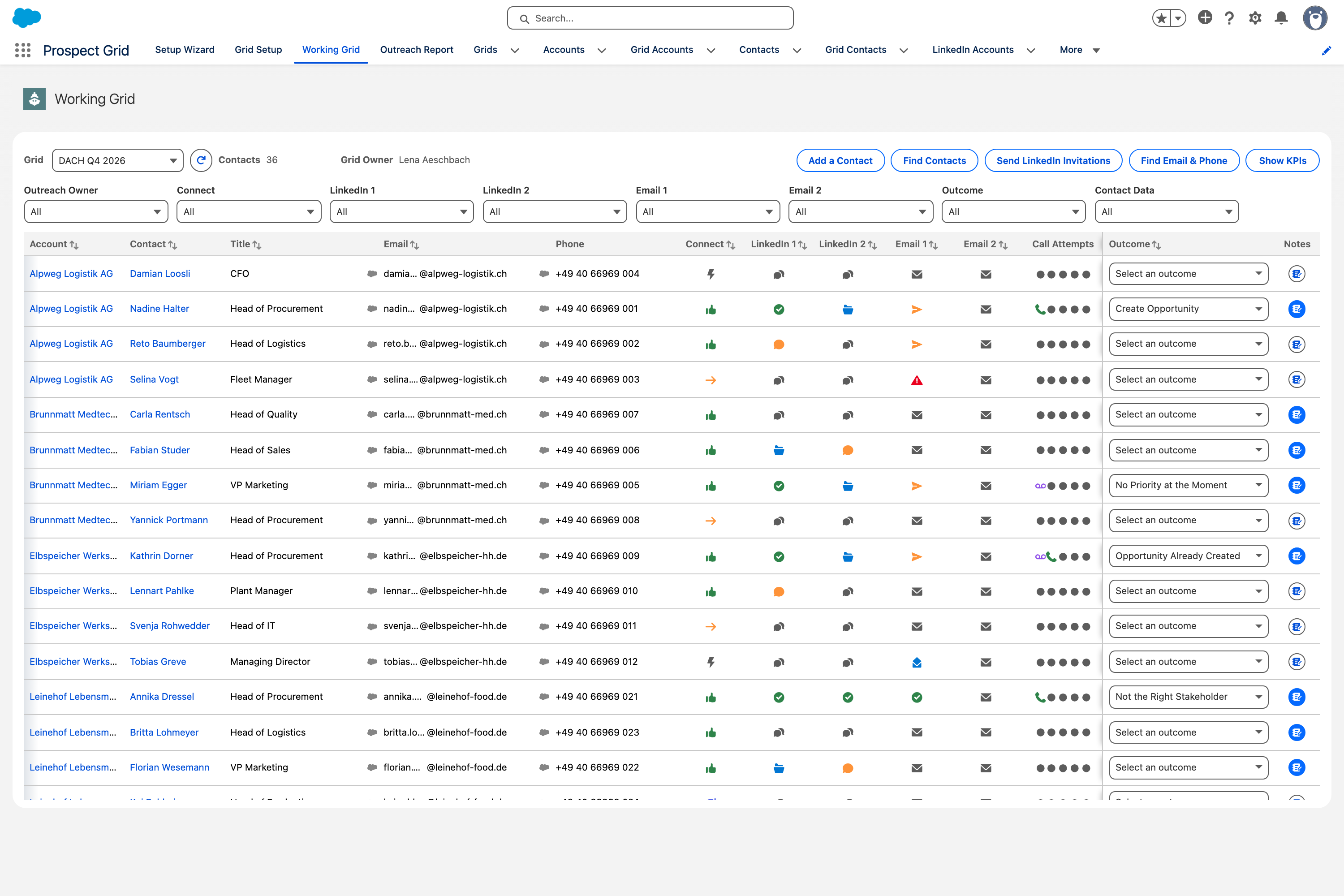
From the first search to the follow-up, in one grid.
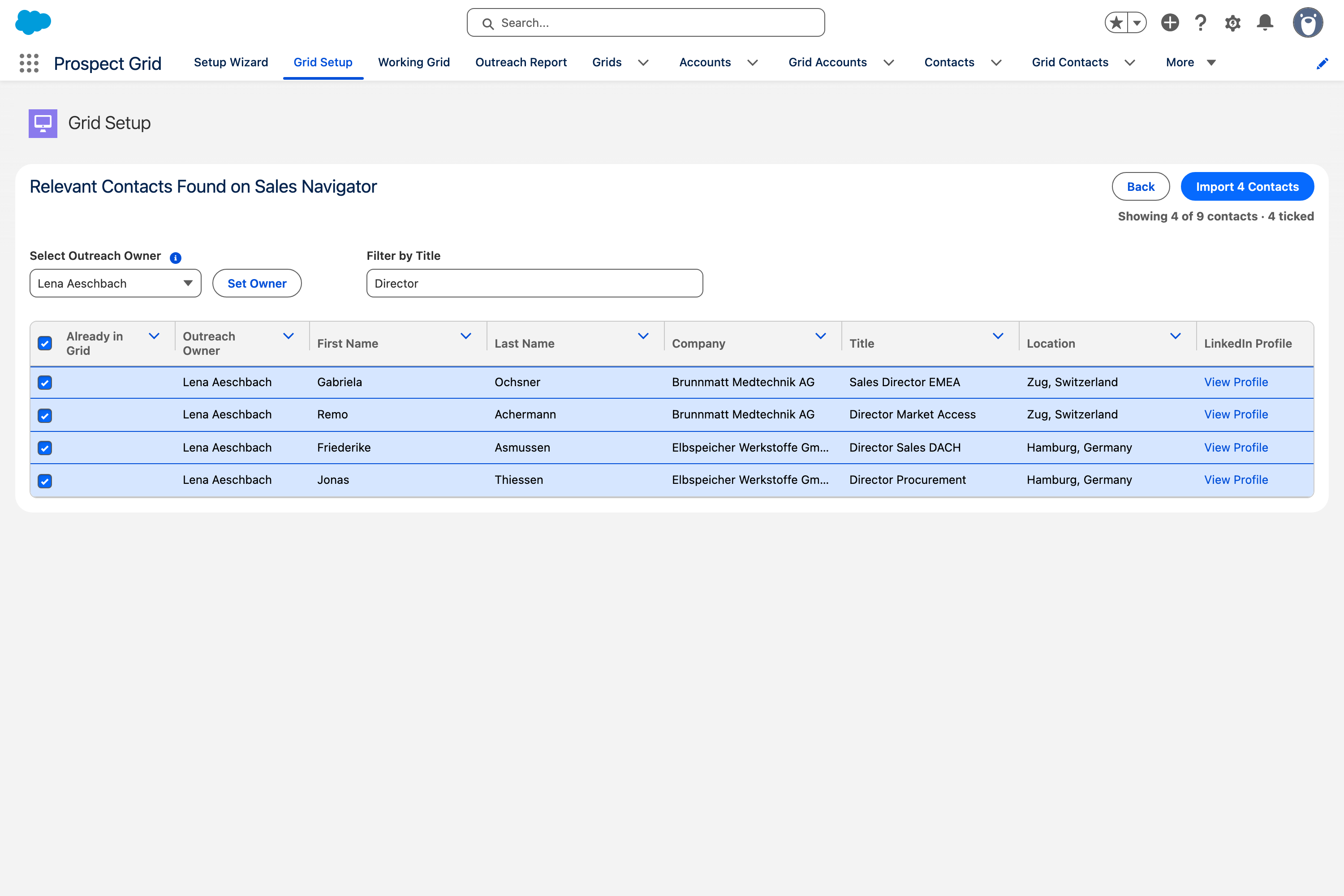
1Find
Find the right people fast
Pick your target accounts and a saved persona, add keywords and filter the people found by title. Straight from LinkedIn Sales Navigator.
- Search by seniority, department, location and keywords
- Import them with their outreach owner
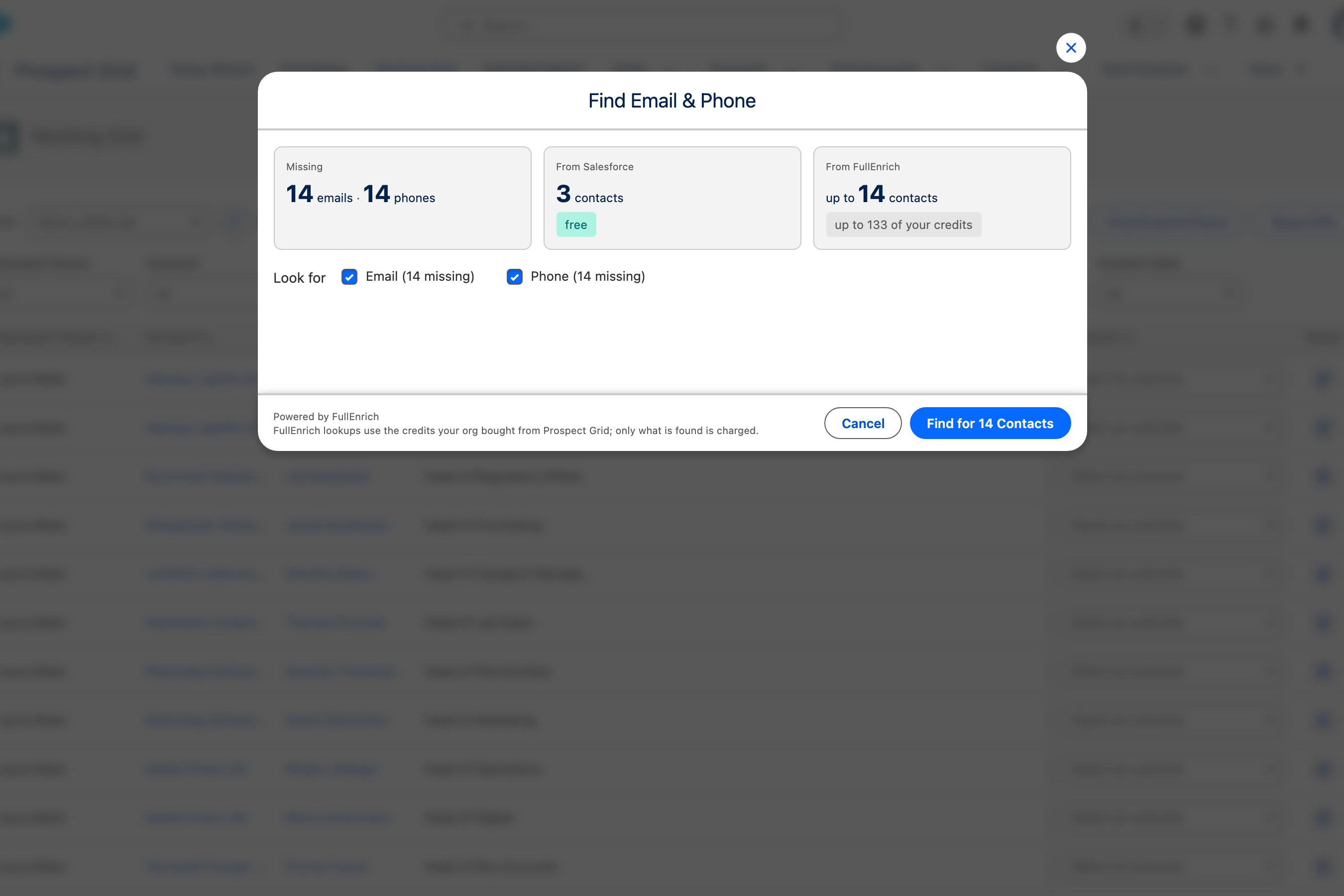
2Fill
Missing emails and phone numbers in two clicks
Find the missing emails and phone numbers of a whole grid. Salesforce fills what it already holds, at no cost, and FullEnrich looks up the rest.
- See what is missing before you start
- Every email and phone shows where it came from
Powered by FullEnrich
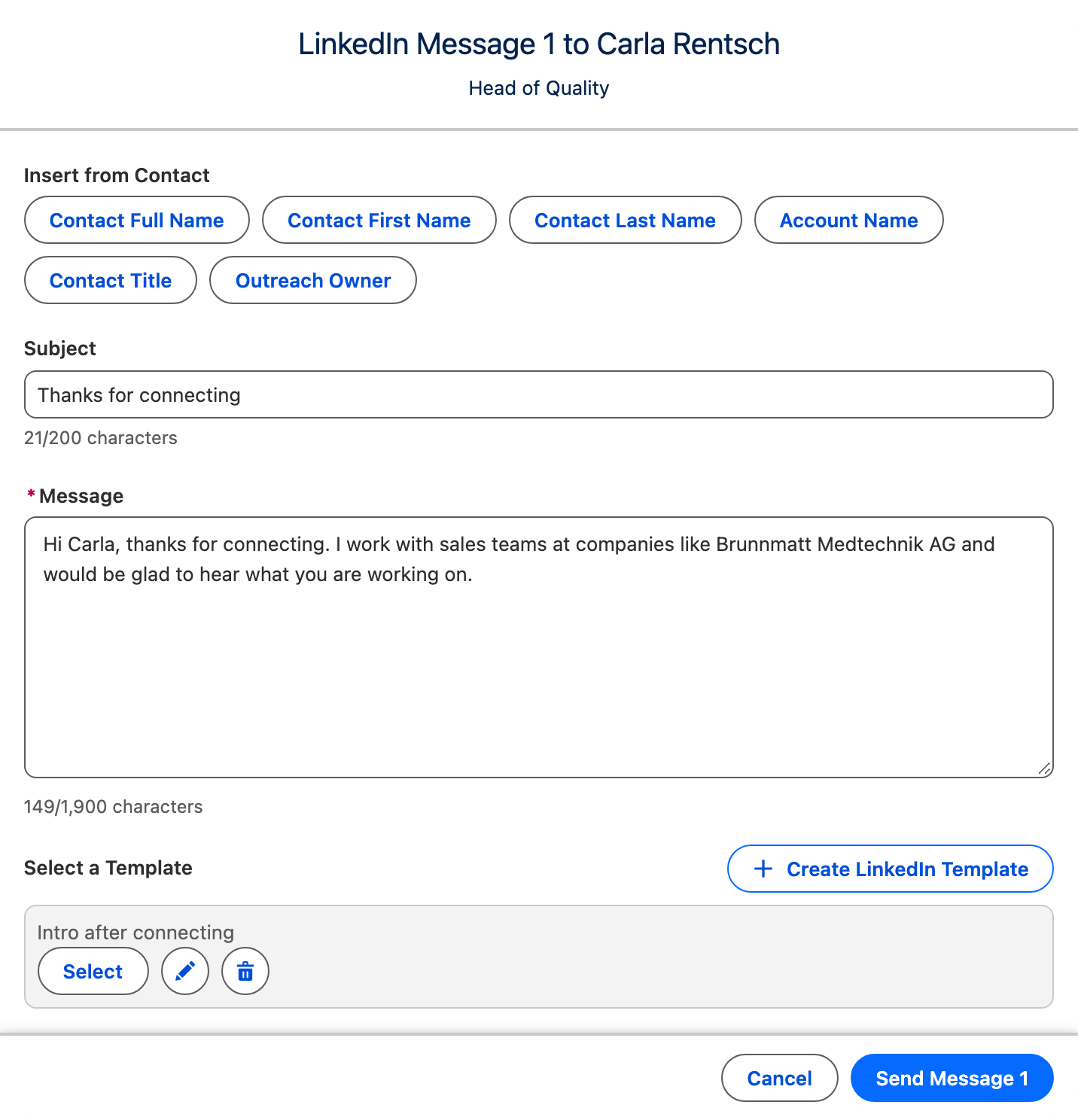
3Reach out
Every channel in one grid
LinkedIn invitations and messages, emails and calls, one row per contact, with your own templates.
- Connection requests for up to 100 contacts per send
- Emails from your own Gmail or Outlook mailbox
4Follow up
Never miss a follow-up
Replies and opens update the grid by themselves. Filter who opened but did not answer, and track pipeline in the KPIs and a dashboard.
- Accepted invitations, read receipts, opens and replies are recorded for you
- One filter shows who needs the next step
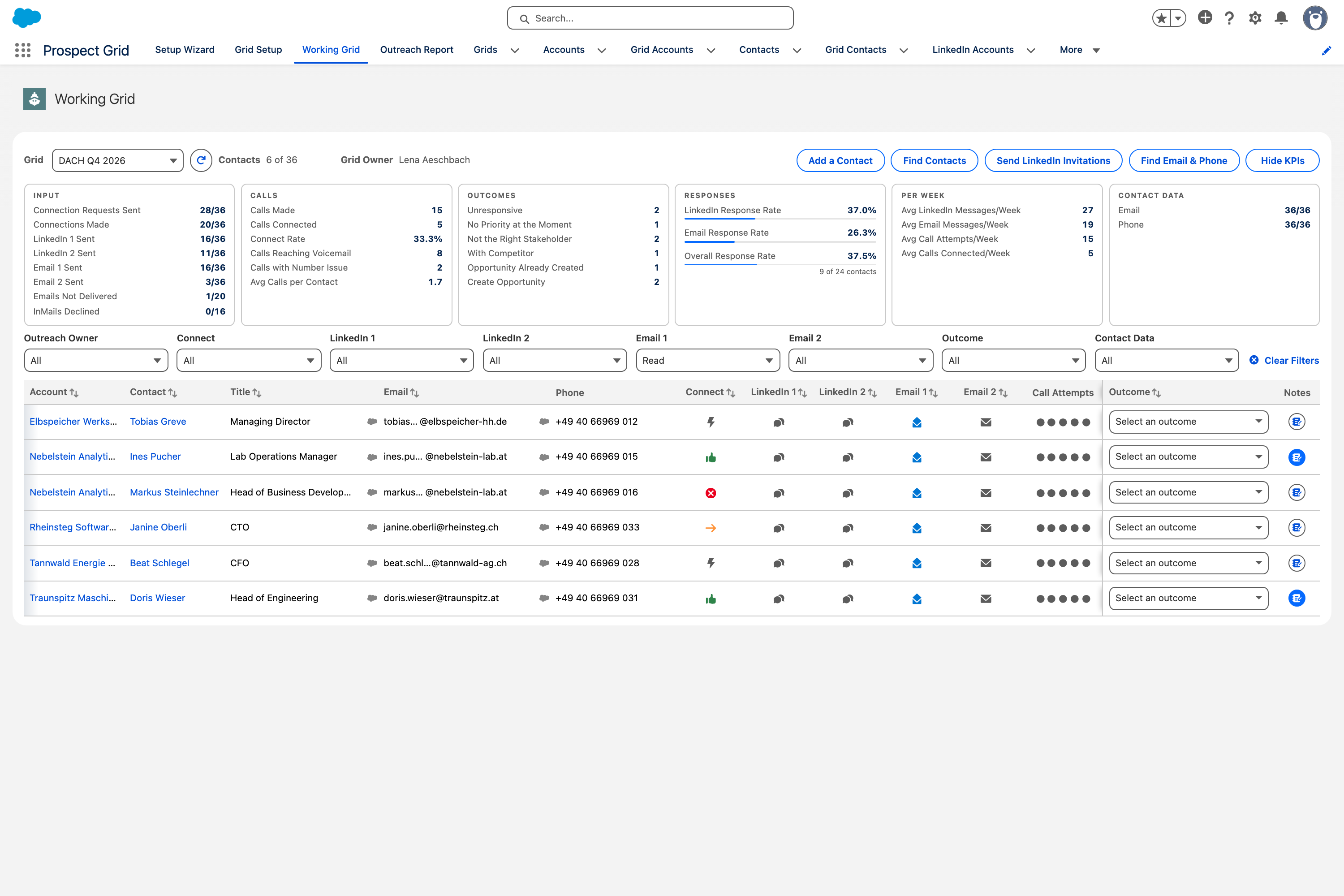
See it work
Prospect Grid inside Salesforce
One Workspace. Zero Switching. Full Outbound Control.
Recorded in a Salesforce demo org, with English voice-over and captions. All names are invented.
Built inside Salesforce
Your data stays where it already lives.
Your records stay in your Salesforce org
Accounts, contacts and every outreach step live where your CRM data already lives. There is no second platform to keep in sync.
The security model already exists
Reps work in the system they are required to use anyway, and access is governed by Salesforce users and permission sets.
Only the outreach itself leaves
Searches, invitations, messages and emails go through our messaging provider Unipile to LinkedIn and your users' mailboxes. Looking up missing emails and phone numbers through FullEnrich is optional.
Powered by FullEnrich
The details are in our privacy policy. And here is what Prospect Grid does not do.
Make the right choice for your outbound team.
See how Salesforce Sales Engagement, Salesloft and Outreach handle finding, enriching, contacting and tracking prospects, next to Prospect Grid, side by side.
Pricing
One Plan. All Features.
One subscription with everything you need to operate and grow, with a 10-day free trial in your own Salesforce org. Basic setup is included.
USD 75per user per month
or USD 750 per user per year, with 2 months on us.
Questions
Before you start
Is there a free trial?
Yes. The AgentExchange listing offers a 10-day free trial in your own Salesforce org, and we help you set it up. Send us your Salesforce Organization ID first, so we can register the org.
Do I need a special Salesforce edition?
Prospect Grid requires Salesforce Sales Cloud in Enterprise or Unlimited Edition, with My Domain deployed and Salesforce Sites available. Before you install, send your Salesforce Organization ID to support@prospectgrid.ch so we can register the org. The setup guide lists the details.
Are email and phone lookups included?
Find Email & Phone fills missing emails and phone numbers from what your Salesforce org already holds, at no cost. Looking up the rest through FullEnrich is optional and uses prepaid credits, from USD 240 for 5,000. You pay only for what is found. Currently for customers established outside Switzerland, the EEA and the UK. Powered by FullEnrich.
Can I add or remove users at any time?
Yes. Licenses are per user. Added users are available immediately; a reduction takes effect at the start of your next billing period, the next month on the monthly plan and the next year on the yearly plan.
What does implementation cost?
Basic setup (1–2 business days) is included. Advanced customization is scoped per project. Reach out and we'll give you a clear estimate.
Try Prospect Grid in your own Salesforce org.
The AgentExchange listing offers a 10-day free trial, and we help you set it up.
Built by a sales rep, for sales reps
Alan Natale spent six years carrying enterprise quota, ran his prospecting from a spreadsheet, and rebuilt that method as a grid inside Salesforce.
Meet the founder