
How it works
How does Prospect Grid work?
Prospect Grid saves sales reps hours by finding new accounts and contacts and importing them straight into Salesforce. There they sit in a working grid, similar to a spreadsheet, but fully interactive: replies, opens and accepted invitations are recorded by themselves.
Build your working grid
Create a grid for a campaign, for example outreach to Tier 1 accounts.
See everything in one view
All its contacts with their LinkedIn details, and their emails and phone numbers: Salesforce fills what it already holds, and FullEnrich looks up the rest.
Powered by FullEnrich
Run outreach in a few clicks
LinkedIn requests, messages, emails and calls, without leaving Salesforce.
Track progress as it comes in
See what’s done, what’s pending and what’s working.
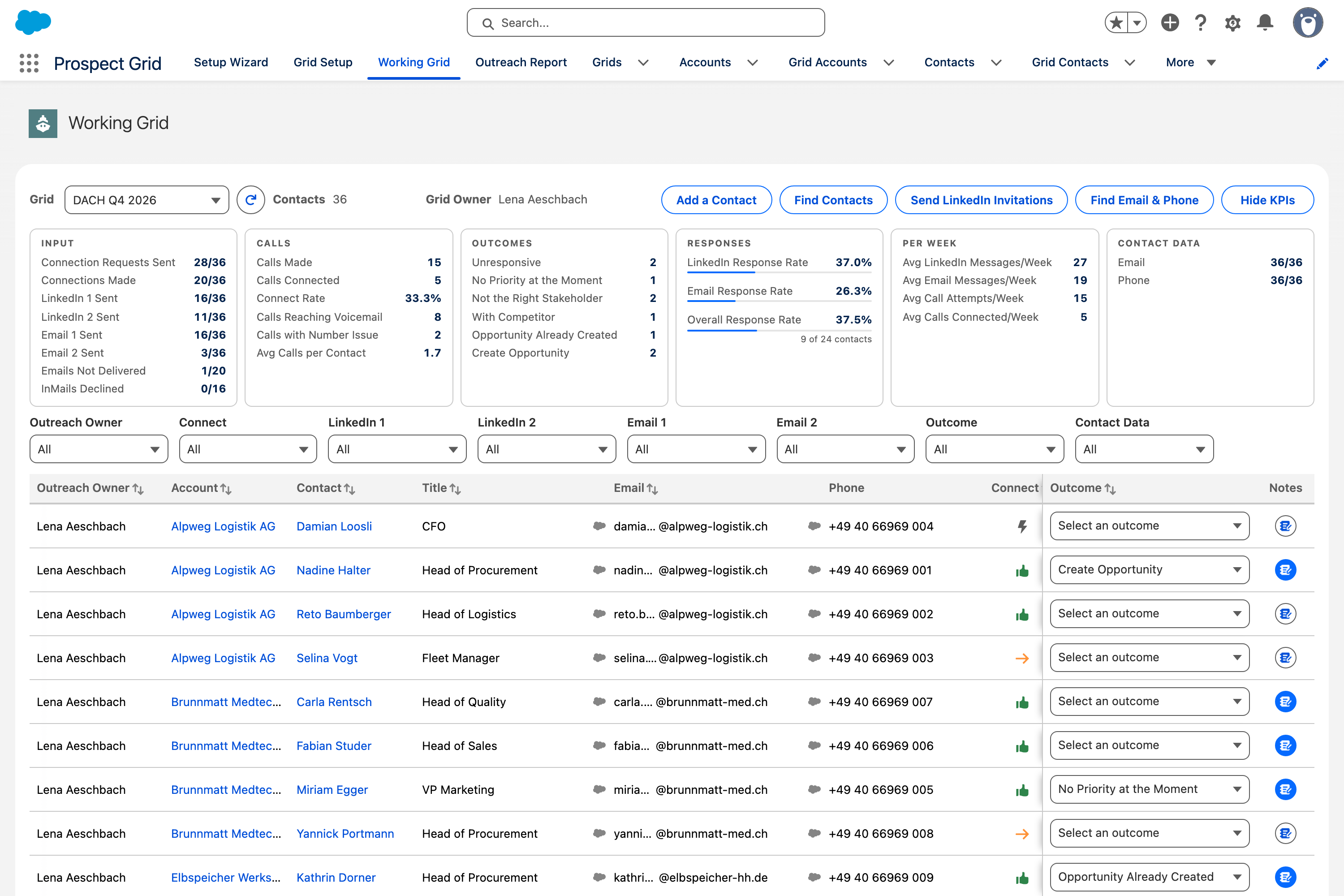
The working grid, captured in the demo org. All names are invented.
Watch the demoWhat makes Prospect Grid different?
Your prospecting workflow, reinvented
Most prospecting tools force you to jump between Salesforce, LinkedIn, and external platforms like Salesloft or Outreach. This creates friction, sync errors, and wasted time. Prospect Grid eliminates all that by living inside Salesforce, where your data already resides.
Inside the product
A visual glimpse of the key features you'll use every day.
Build a working grid like a spreadsheet in Salesforce
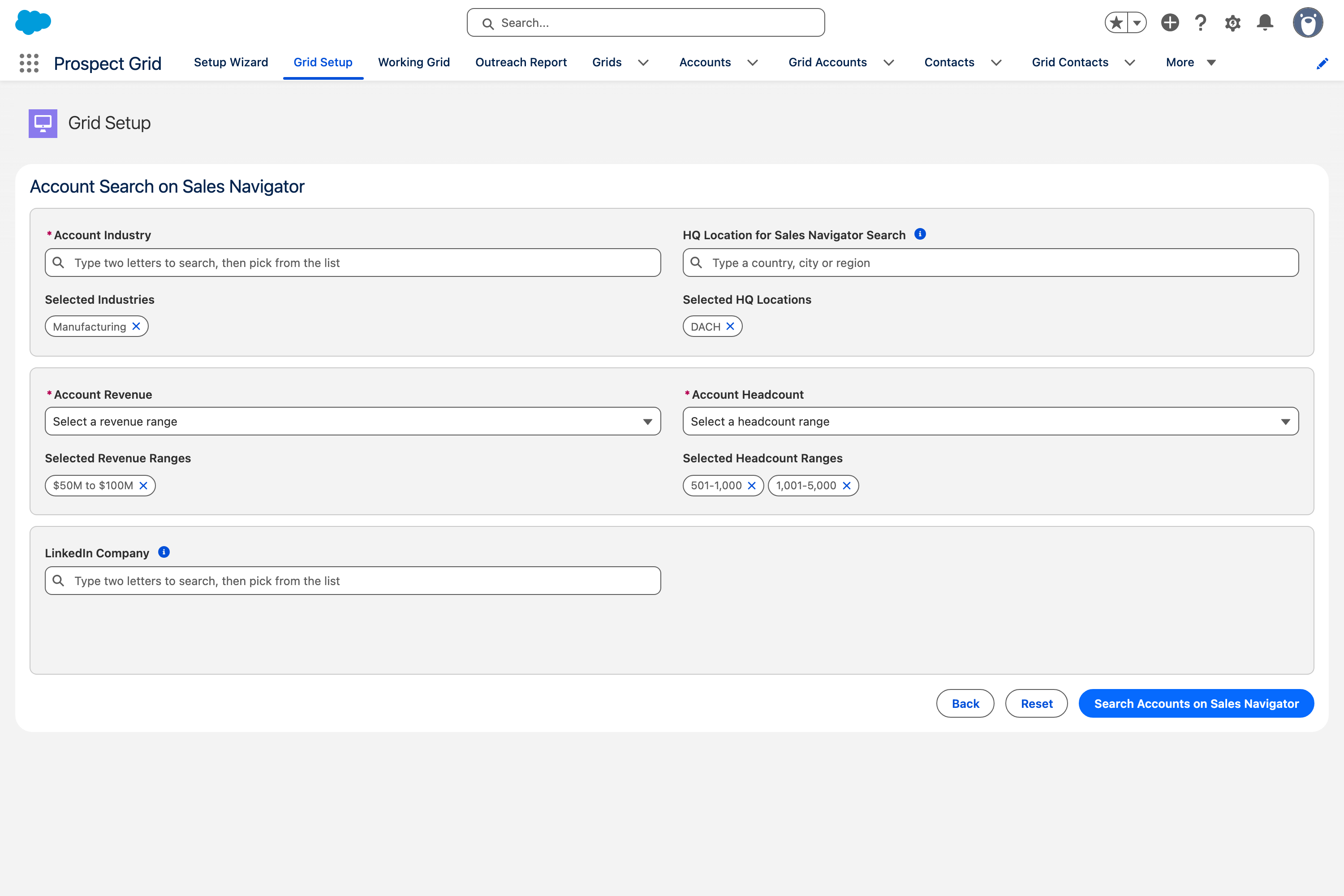
Find new accounts on Sales Navigator by industry, headquarters location, revenue or headcount
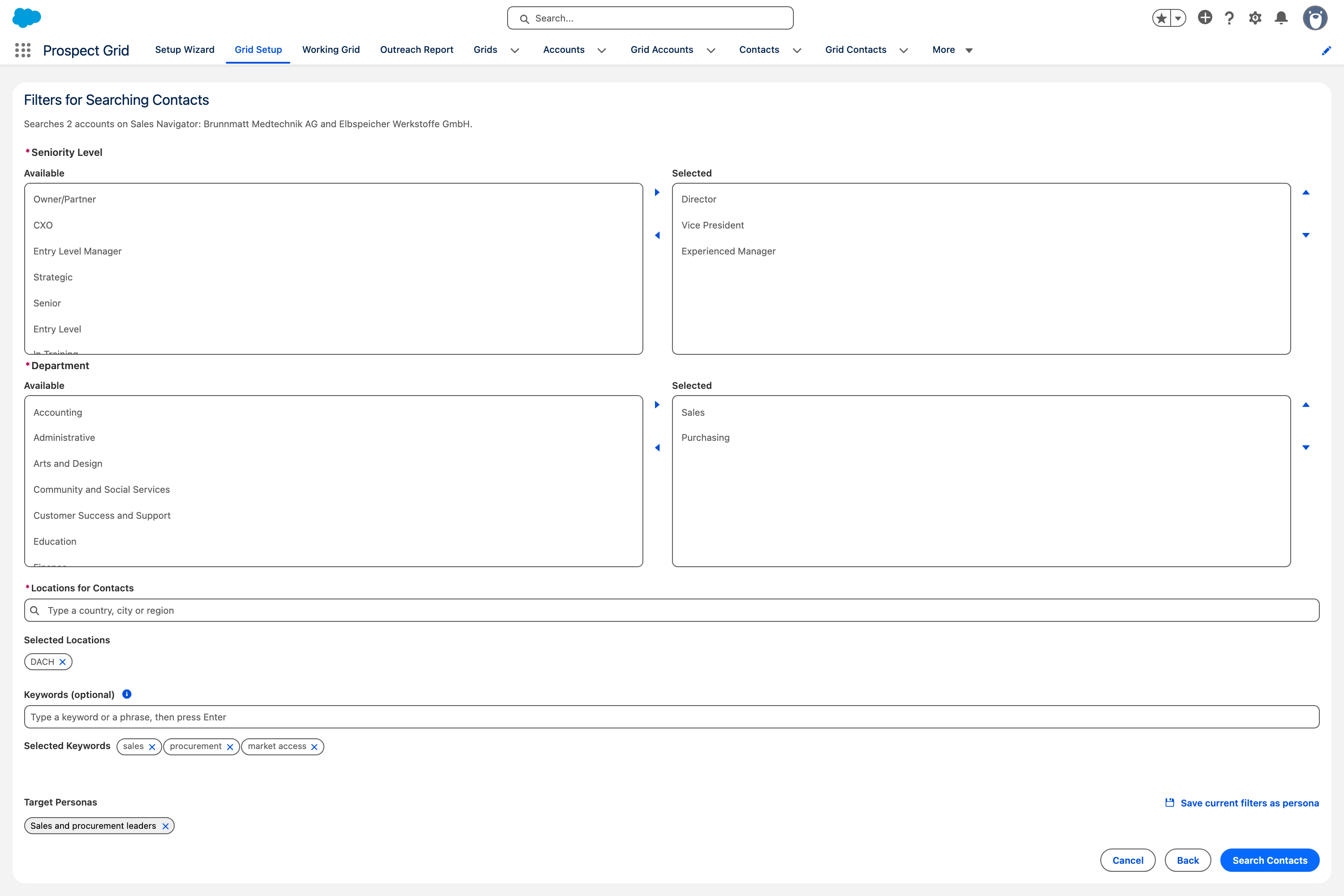
Find the right people by seniority, department, location and keywords, or with a saved persona
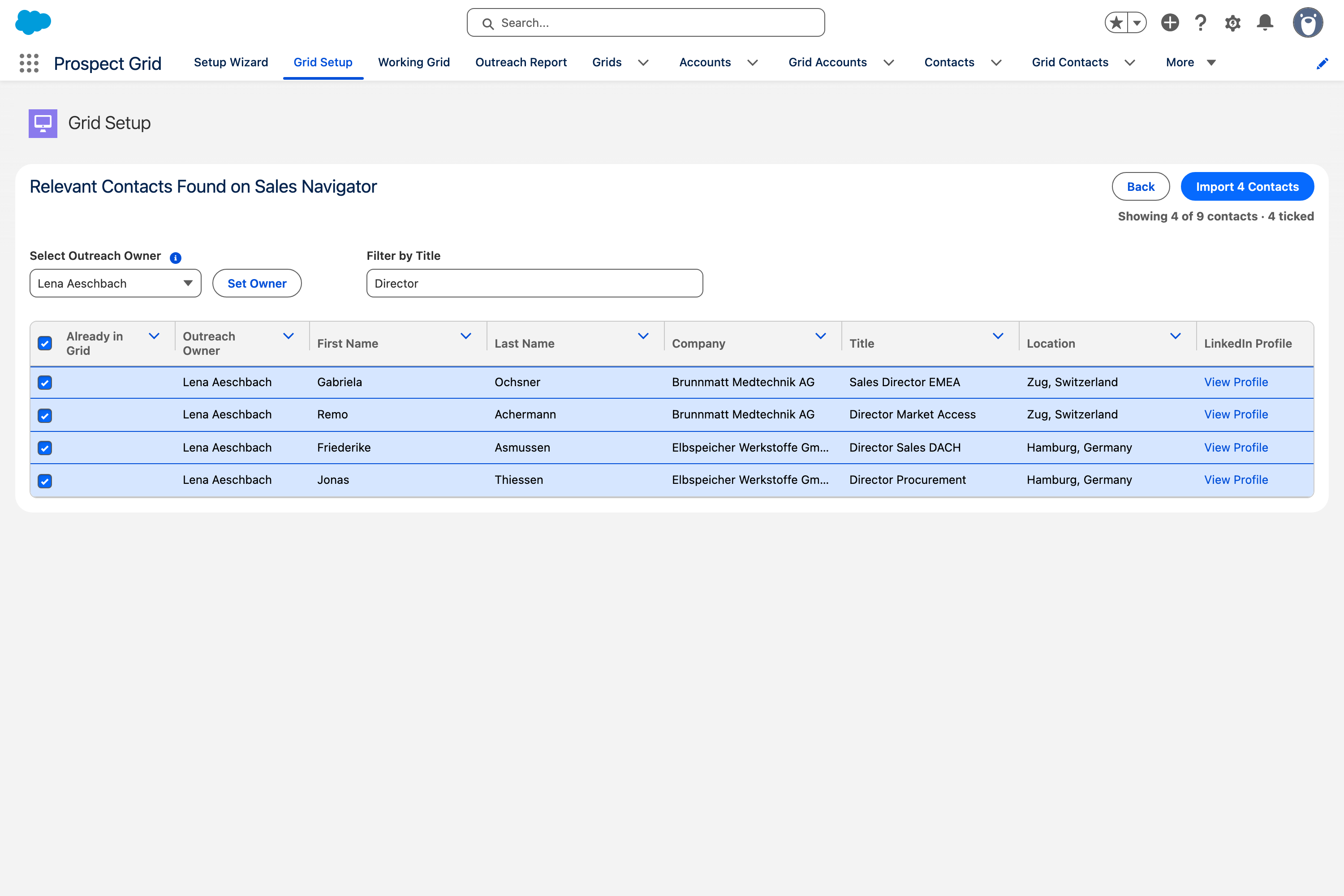
Narrow the people found by title and import them with their outreach owner
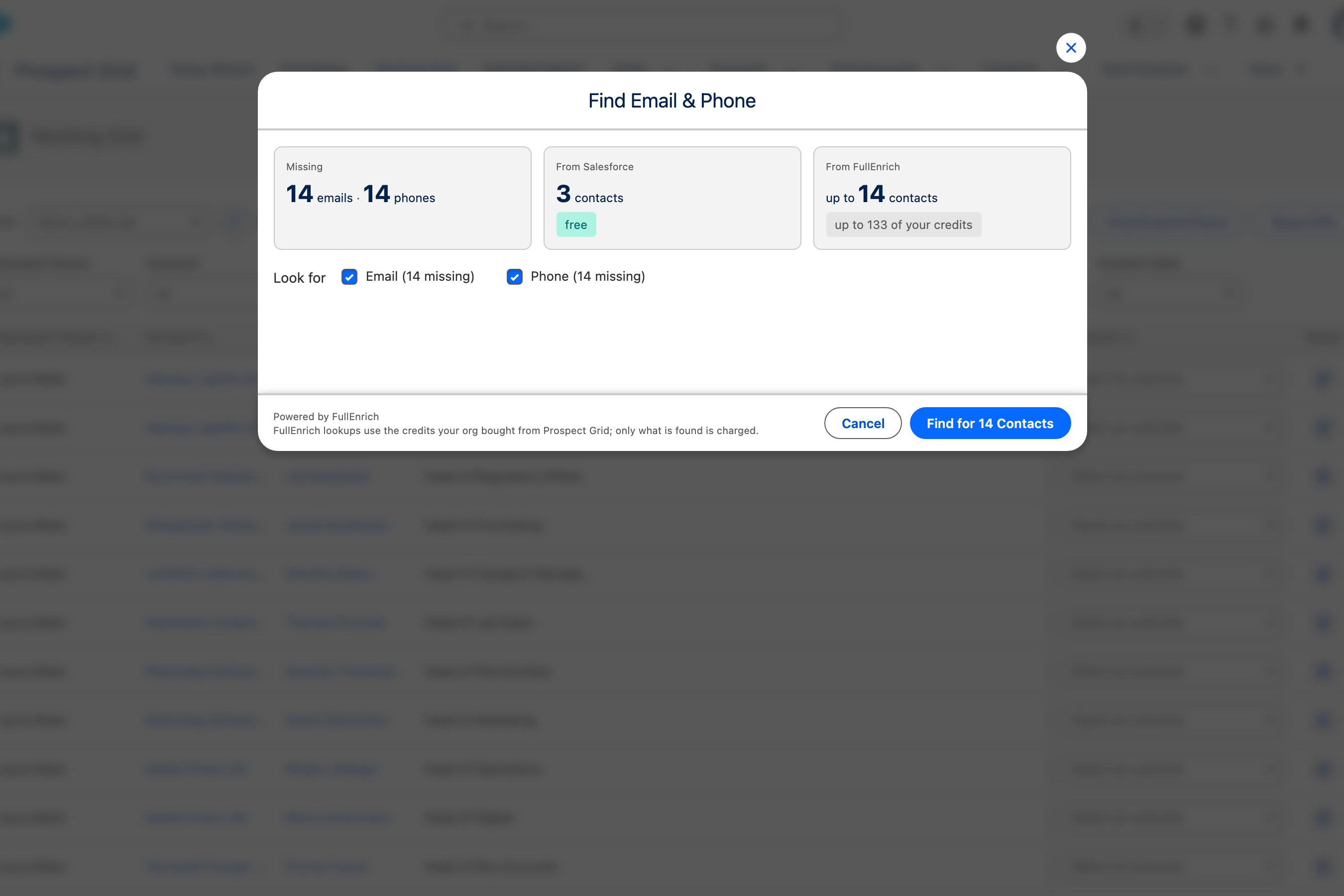
Fill missing emails and phone numbers in bulk: Salesforce first, then FullEnrichPowered by FullEnrich
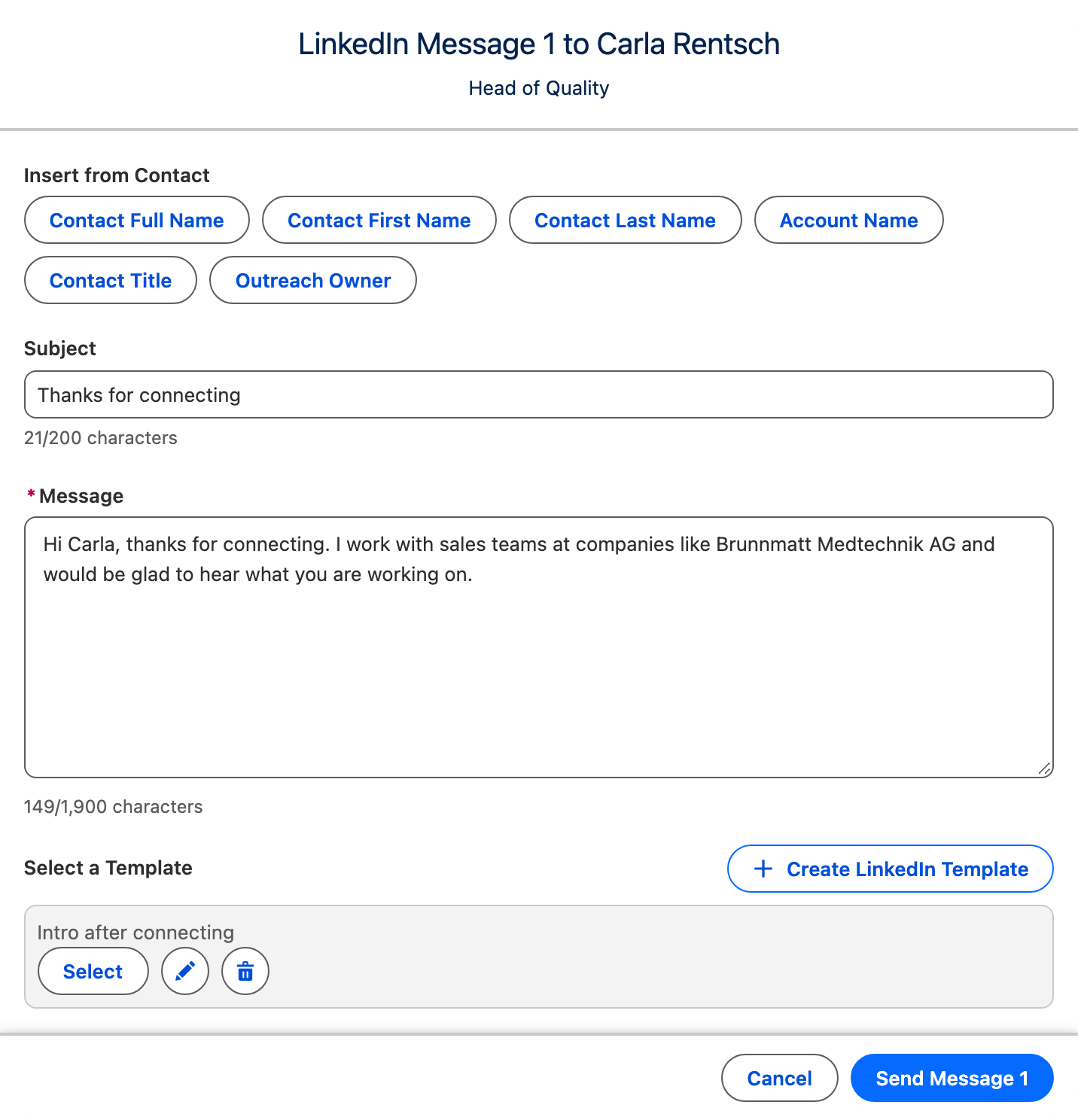
Send LinkedIn connection requests and messages from inside Salesforce, with your templates
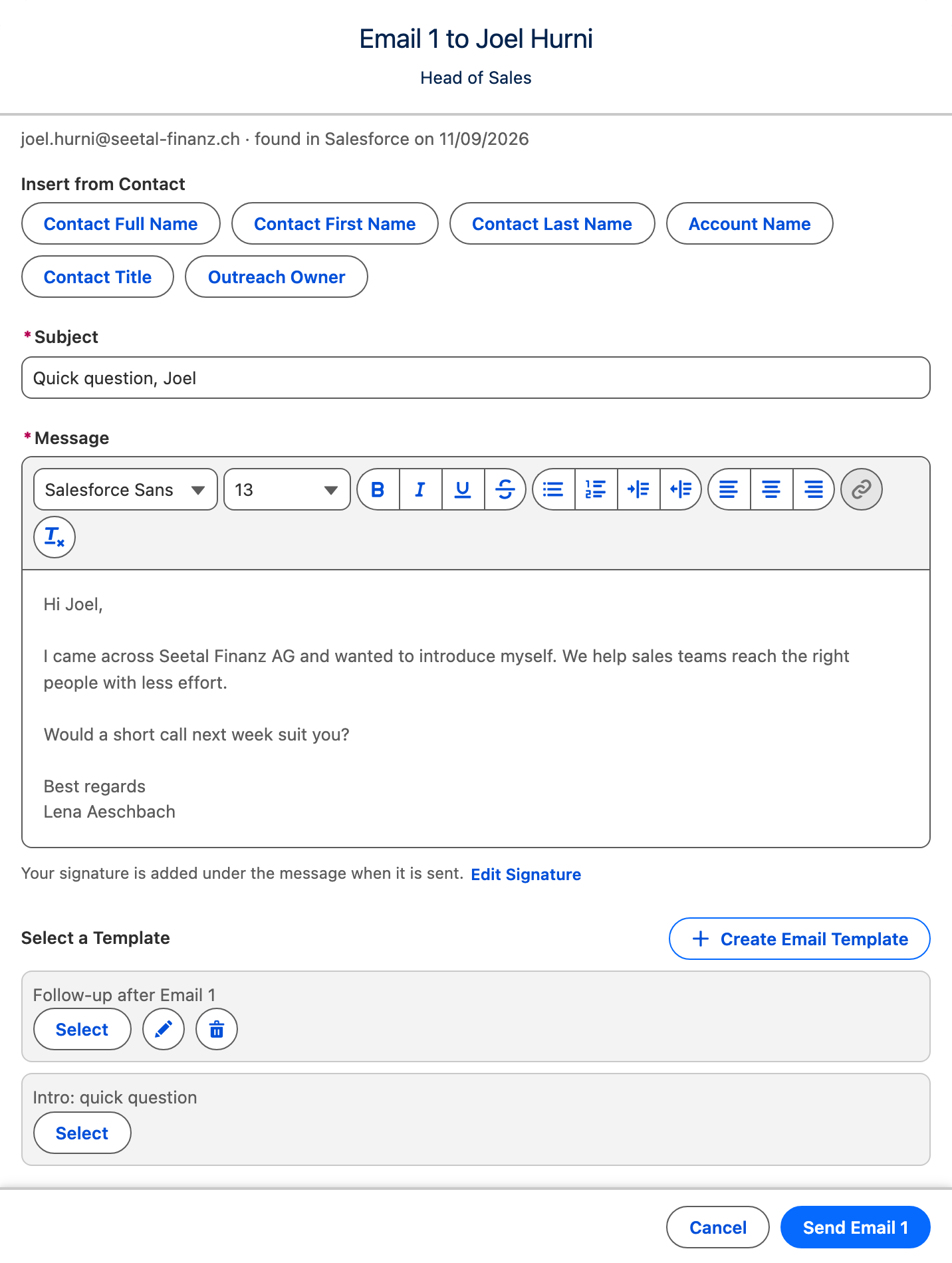
Send emails from inside Salesforce with your templates and your signature
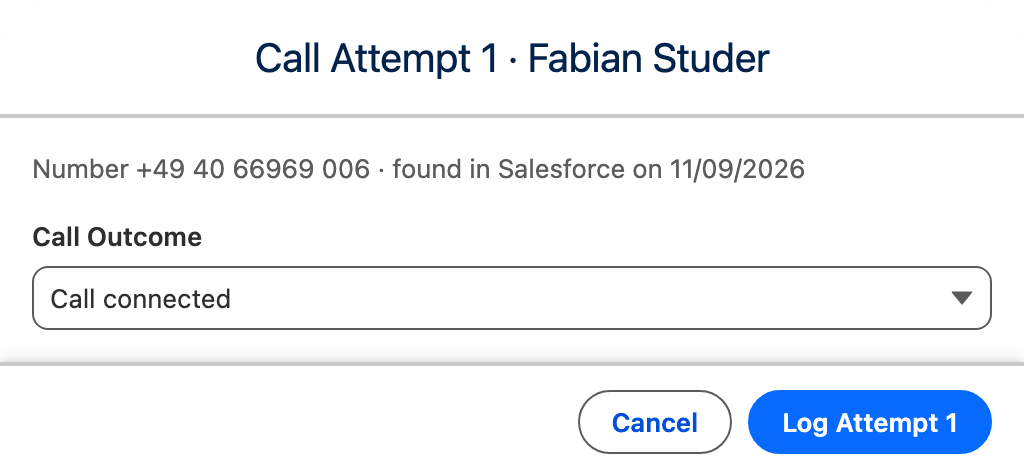
Log every call and its outcome, with the number and where it came from
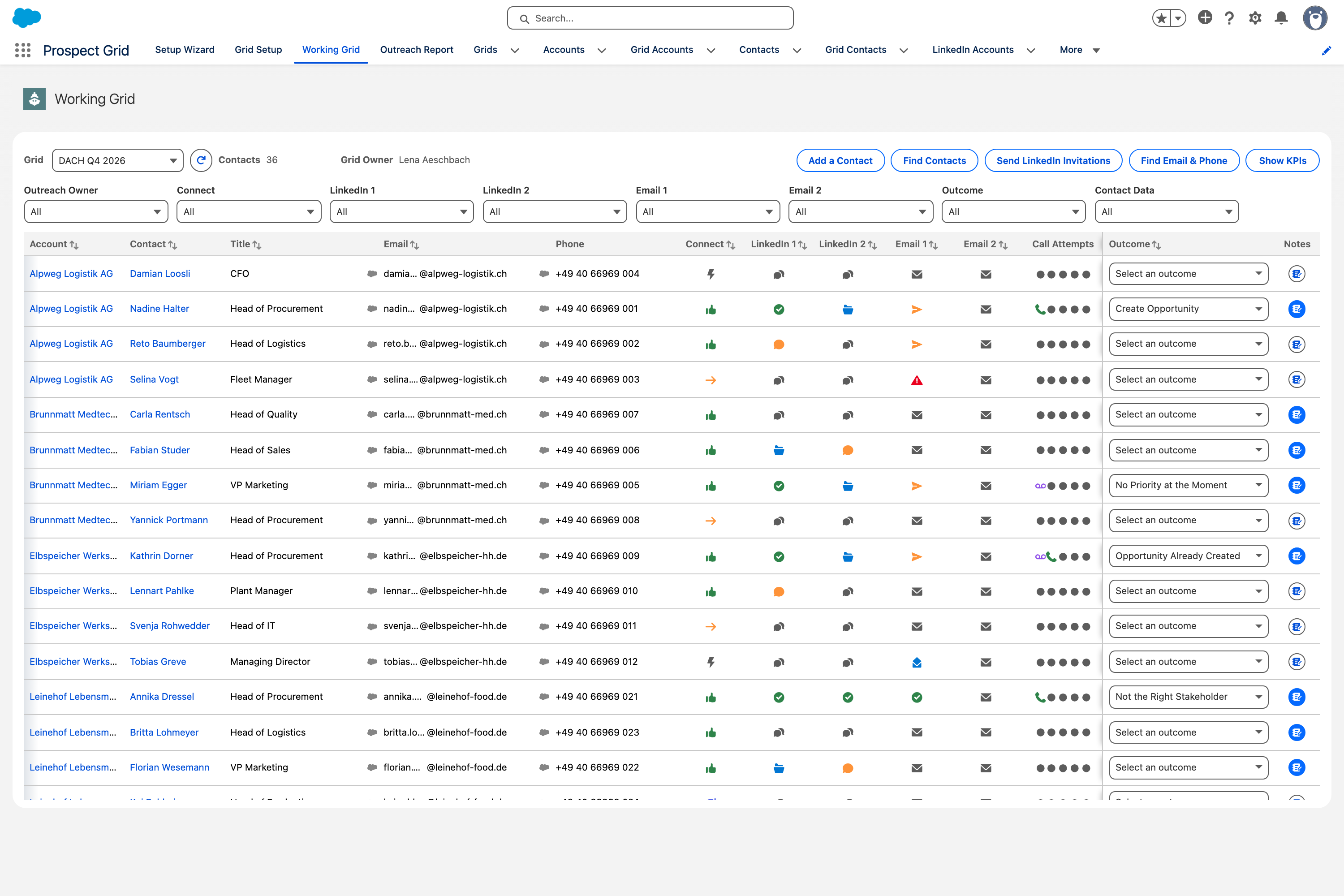
Every outreach step per contact in one row: LinkedIn, email, calls and outcome
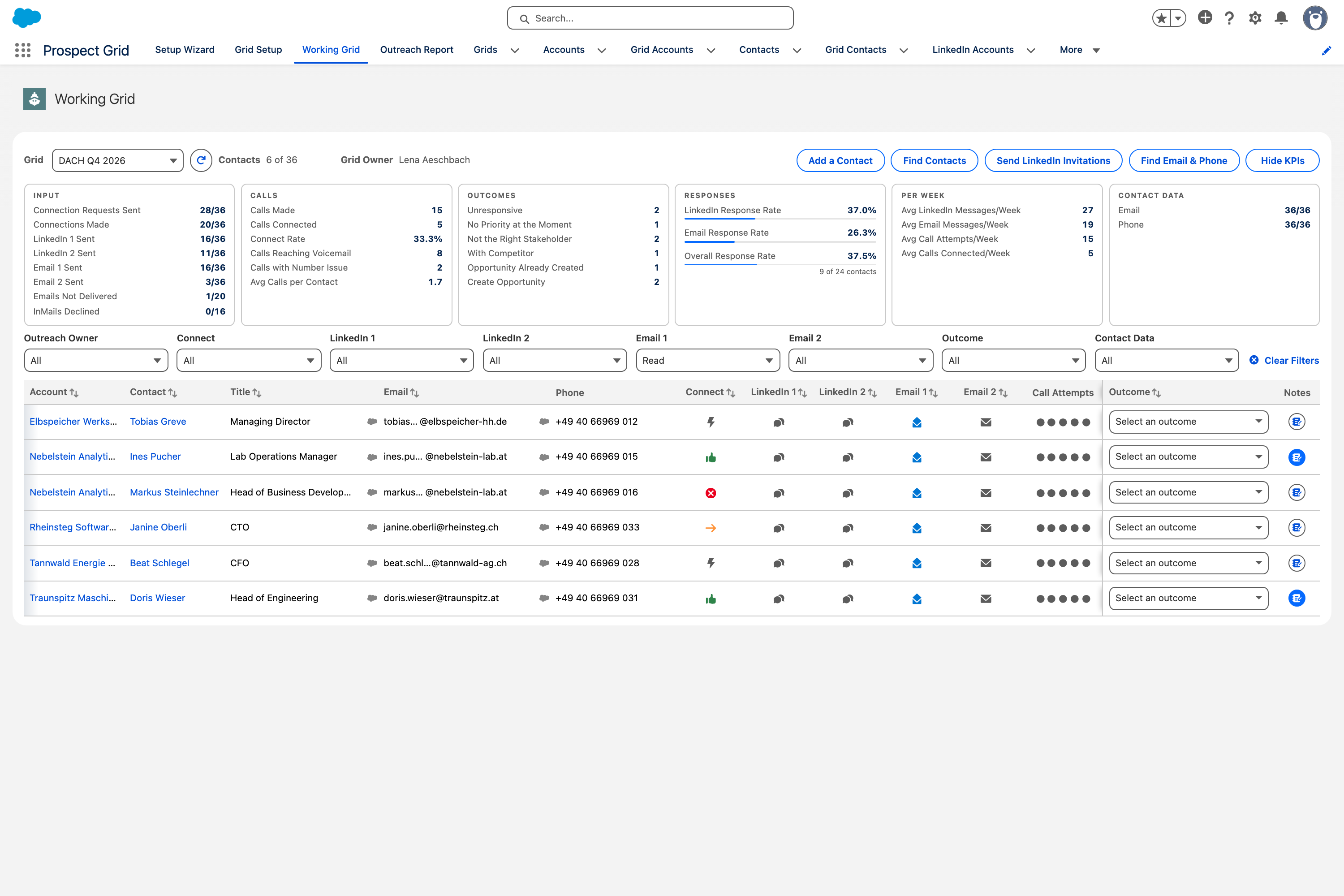
Filter who opened your email but has not answered, and send the follow-up
Prospect Grid's key benefits
What this way of working achieved
2–5× higher pipeline generation
thanks to less admin work and more selling time.
Response rate of 15–25%
per prospect contact.
Based on internal testing with more than 1,000 real prospect contacts, using the way of working that Prospect Grid is built on. Not a promise or a benchmark of the results you will achieve. See section 12.2 of our Terms.
Who is it for?
Sales reps from BDR to Account Manager and Sales Director who engage B2B prospects (especially those active on LinkedIn).